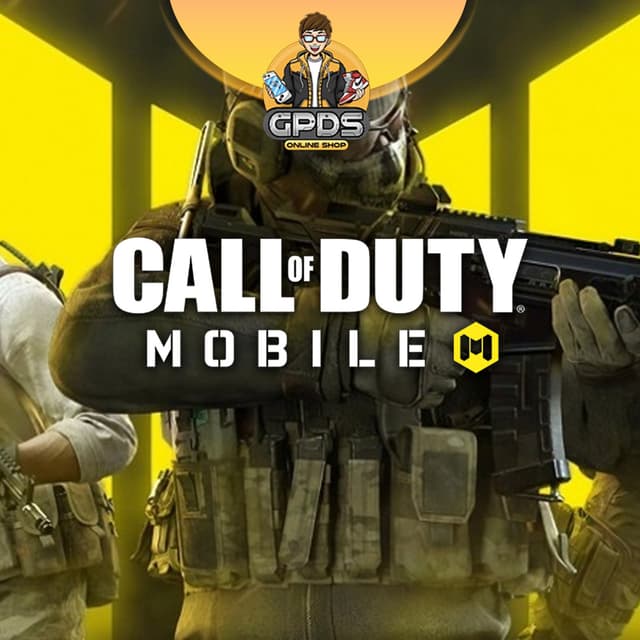
How to Buy and Redeem a Call of Duty Mobile Voucher in the Philippines
⚡ Voucher Code, Redeem by Player ID
Five steps from checkout to CP in your account. This voucher is currently out of stock, so for now you can top up CP through our Garena Shells Philippines page. When the voucher restocks, the steps below apply. You redeem the code yourself with your Player ID, no login.
STEP 1
Choose Your CP Denomination
Pick the CP voucher you want, such as 80, 420, or 880 CP. Add a coupon or streamer code if you have one.
STEP 2
Enter Your Email
Provide the email where you want your voucher code sent.
STEP 3
Pay Your Way
GCash, Maya, GrabPay, QRPH, Visa, Mastercard, PayPal, Wise, or USDT. Checkout price is final.
STEP 4
Receive Your Code
We email your voucher code fast after we verify the payment. Keep it private.
STEP 5
Redeem Through Garena
On the Garena top-up page, choose Call of Duty Mobile, enter your Player ID and the code, then check your CP in-game.
⚠️ Important: Treat your code like cash and keep it private until you redeem it. Delivered codes are not refundable once sent. These vouchers are for the Garena Philippines version of CODM, so confirm your account is on Garena, not Global, before redeeming.
✔ Voucher-based, redeem by Player ID, no password or login shared
✔ Need help?
[email protected],
WhatsApp,
Facebook, or
FAQs.
Support hours 6 AM to 4 AM PHT, daily. Include your Order ID.
Description
About Voucher Call of Duty Mobile
⚠️ Currently Unavailable
The Call of Duty Mobile voucher is out of stock right now. You can still top up CP through our
Garena Shells Philippines
page, redeemable for COD Points on your CODM account. Message us on WhatsApp if you want a restock alert.
🎮 Trusted Since 2018GCash, Maya, QRPH⚡ Instant Code DeliveryRedeem by Player ID, No Login
Call of Duty Mobile Voucher Code Philippines: Buy 80, 420, and 880 CP | GPDS Game Shop
Want CP for the latest Battle Pass, weapon blueprints, and skins in Call of Duty: Mobile? GPDS Game Shop sells Call of Duty Mobile vouchers that credit CP (COD Points) to your Garena account, paid in pesos. Choose a denomination, redeem with your Player ID through Garena, no password and no account handover.
Pay with GCash, Maya, GrabPay, QRPH bank transfer, Visa, Mastercard, PayPal, Wise, or USDT. Codes are delivered fast after we verify payment, with real-time PHP pricing and trusted PH support since 2018. WhatsApp and Facebook from 6 AM to 4 AM PHT, daily.
Why Buy Your Call of Duty Mobile Voucher at GPDS
Instant Code Delivery
When in stock, your voucher code is delivered fast after we verify payment, so you can redeem CP and jump into the next match.
CP Denominations for Every Budget
From small CP top-ups for a Battle Pass to large bundles for Lucky Draws and bundles. Pick the size that fits your season.
For the Garena PH Server
These vouchers credit CP on the Garena Philippines version of CODM. Confirm your account is on Garena, not Global, before you redeem.
Redeem It Yourself, No Login
You redeem the code with your Player ID through Garena. We never log into your account or ask for your password.
How to Redeem Your Call of Duty Mobile Voucher
Go to the Garena top-up page for Call of Duty Mobile, choose the Garena prepaid card option, and enter your Player ID. Find your Player ID in Settings, then User Settings, shown at the bottom under Legal and Privacy.
Enter the voucher code we sent you, confirm, and your CP is credited to your CODM account. No password is shared with us, and you stay in full control of your account.
Call of Duty Mobile Voucher FAQ for the Philippines
How do I buy a Call of Duty Mobile voucher in the Philippines using GCash?
When the voucher is in stock, choose your CP denomination and pay with GCash. We deliver your code fast after we verify the payment, then you redeem it through Garena. Maya, GrabPay, QRPH, Visa, Mastercard, PayPal, Wise, and USDT also work.
How do I find my Call of Duty Mobile Player ID?
Open Call of Duty: Mobile, go to Settings, tap User Settings, and your Player ID appears at the bottom under Legal and Privacy. Copy it to redeem your voucher through Garena. No login is shared with us.
How do I redeem this voucher, and does it work for the Garena PH server?
Redeem it on the Garena top-up page for Call of Duty Mobile by entering your Player ID and the voucher code. These vouchers are for the Garena Philippines version of CODM, not the Activision Global version, so confirm your account is on Garena before redeeming.
Is buying a Call of Duty Mobile voucher from GPDS safe for my account?
Yes. You redeem a standard Garena voucher yourself using your Player ID, and we never log into your account or ask for your password. Your account standing and progress stay exactly as they are.

.png&w=3840&q=75)