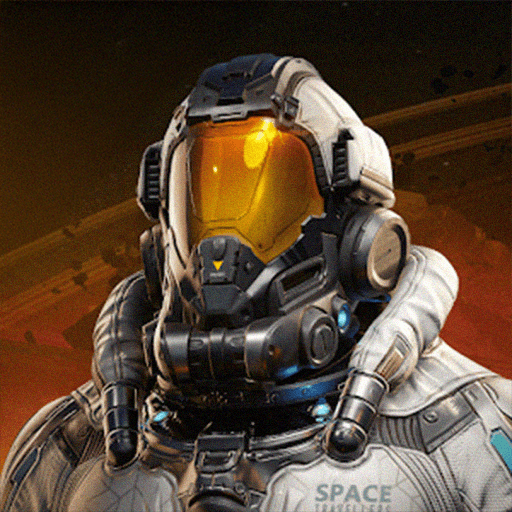
How to Top Up Earth: Revival The Core in the Philippines (via Login)
🛸 Login-Based Flow, Same-Day Manual Delivery
Seven steps from order to Energy Crystals in your inventory. This is a login-based product, so we briefly access your account through Apple, Facebook, or Google to make the in-store purchase. Most orders complete same-day during business hours, Survivors.
STEP 1
Pick Your Login Provider
Choose Apple, Facebook, or Google at checkout, matching the provider your Earth: Revival character is bound to.
STEP 2
Send Credentials Through Secure Chat
After payment, message your account credentials to our WhatsApp encrypted chat only. Never email, never public form.
STEP 3
Disable 2FA or Prep OTP
Temporarily turn off two-factor on the provider, or stay reachable to forward the OTP code when we request it.
STEP 4
Log Out of All Sessions
Sign out of Earth: Revival on every device. Concurrent logins kick us out mid-purchase and slow your delivery.
STEP 5
Choose Pack & Pay
Pick your Energy Crystal pack or Battle Pass and pay via GCash, Maya, GrabPay, QRPH, Visa, Mastercard, PayPal, Wise, or USDT.
STEP 6
Suit Up, Survivor
We log in, purchase your pack, and log out. Energy Crystals land in your inventory ready for MINAMAL gacha, Power Armor fusion, or seasonal bundles.
STEP 7
Lock Down Your Account
Immediately change your password and re-enable two-factor on the login provider. Standard best practice after any login-based order.
⚠️ Important: Confirm your login provider matches the one bound to your character before sending credentials. Orders delivered to the correct account are not refundable. Always reset your password after delivery, GPDS never retains credentials and we expect you to re-secure the account yourself.
✔ Manual secure login flow, credentials handled through encrypted chat only and discarded after delivery
✔ Need help?
[email protected],
WhatsApp,
Facebook, or
FAQs.
Support hours 6 AM to 4 AM PHT, daily. Include your Order ID.
Description
About Earth: Revival The Core via Login
🛸 Trusted Since 2018GCash, Maya, QRPH⚡ Same-Day Manual DeliveryApple / Facebook / Google Login
Earth: Revival The Core Top Up Philippines: Cheap Energy Crystals & Battle Pass for Filipino Survivors
Suiting up your Power Armor for the next Asura Trial, or saving Energy Crystals for that SSR MINAMAL pull? GPDS Game Shop tops up Earth: Revival The Core directly to your Nuverse account so Filipino Survivors can fund seasonal Battle Passes, cosmetic skins, and Power Armor upgrades without burning Google Play balance. Stock up on Energy Crystals for the in-game shop, or grab the Battle Pass for Aurora Badges, Skin Fragments, and weekly missions. This is a login-based product, you choose Apple, Facebook, or Google, and we top up manually through your account.
Pay with GCash, Maya, GrabPay, QRPH bank transfer, Visa, Mastercard, PayPal, Wise, or USDT. Same-day manual delivery during business hours, real-time PHP pricing, trusted PH support since 2018. Credentials are handled through encrypted chat only, never stored, never logged. WhatsApp and Facebook live from 6 AM to 4 AM PHT, daily.
Why Filipino Survivors Choose GPDS for Earth: Revival The Core Top-Ups
Manual Login Flow, Zero Automation
A real operator handles every top-up. No scripts, no bots, no third-party panels. Credentials pass through encrypted chat once and are never written to disk.
All Three Nuverse Login Providers Supported
Top up whether your Earth: Revival account is linked to Apple ID, Facebook, or Google. Pick your provider at checkout, send the matching credentials once we confirm payment.
Energy Crystals for Every Survivor Build
Fund MINAMAL Gacha pulls, Power Armor fusion, weapon upgrades, Skin Fragment exchanges, and Seasonal Projection rewards. Battle Pass packs deliver the full track of Aurora Badges too.
Password Reset Reminder After Every Order
Every login order ends with a clear prompt to reset your password and re-enable two-factor. Your account is yours alone the moment delivery confirms.
Energy Crystals vs. Battle Pass: What You Actually Get at GPDS
Energy Crystals are Earth: Revival’s premium currency, spent in the in-game shop on MINAMAL Gacha tickets, exclusive Power Armor sets, cosmetic skins, expansion bundles, and resource refills. Standard packs scale from daily login top-ups to full seasonal whale bundles.
Battle Pass (seasonal) unlocks the full reward track including Aurora Badges, Skin Fragments, Battle Pass EXP, and SSR MINAMAL unlock progress. Best value for active Survivors logging in daily through Seasonal Projection events and Asura Trials.
Earth: Revival The Core Top-Up FAQ for the Philippines
How do I top up Earth: Revival The Core in the Philippines using GCash?
Pick your login provider (Apple, Facebook, or Google), choose your Energy Crystal pack or Battle Pass, and pay with GCash. Once payment clears, send your credentials through our secure WhatsApp chat. We top up manually and message you when it’s done. Maya, GrabPay, QRPH, Visa, Mastercard, PayPal, Wise, and USDT also work.
How do I send my Earth: Revival login credentials safely to GPDS?
Use WhatsApp encrypted chat only (wa.me/639774541147). Never email or paste credentials in public forms. Before sending, disable two-factor or have your OTP code ready, and log out of all active sessions. We delete the credentials from chat immediately after delivery and we strongly recommend a password reset the moment you confirm receipt.
Can I top up if I use Apple, Facebook, or Google login on Earth: Revival?
Yes, all three are supported. Pick the matching provider at checkout. For Apple ID, have your Apple credentials and trusted device OTP ready. For Facebook, share account email and password plus any 2FA code. For Google, share the Google account email and password plus the 2-Step Verification code. Provider mismatch is the most common cause of delivery delays, so double-check which one your character is bound to.
Will a login-based Earth: Revival top-up get my account banned?
No. GPDS uses a manual, monitored login flow with no automation. We only purchase Energy Crystals or Battle Pass on the in-game store, we do not trade items, change settings, or touch character progress. Nuverse’s anti-cheat looks for botted gameplay, not legitimate store purchases. After delivery, change your password and re-enable two-factor as a standard precaution.

.png&w=3840&q=75)